The Complete Guide to 3D Site Context for Architecture: Data Sources, Workflows, and Tools
The Complete Guide to 3D Site Context for Architecture: Data Sources, Workflows, and Tools
Architects spend countless hours assembling site context before they can begin designing. Building footprints come from one source, terrain from another, roads from a third, and then everything must be cleaned, georeferenced, and imported into Rhino, Revit, SketchUp, or another design tool.
The challenge becomes even more difficult on international projects, competitions, and early-stage feasibility studies where survey data may not yet exist.
Fortunately, a growing ecosystem of open datasets, BIM tools, and specialized platforms makes it possible to generate accurate 3D site context almost anywhere in the world.
This guide explains how architects create 3D site context models today, which datasets are most useful, and how to choose the right workflow for your project.
What Is a 3D Site Context Model?
A 3D site context model is a digital representation of the environment surrounding a project site.
A complete architectural context model typically includes:
Terrain and topography
Existing buildings
Roads and transportation networks
Water bodies
Vegetation
Parcels and property boundaries
Infrastructure elements
Unlike GIS datasets, architectural context models must be editable, lightweight, and suitable for design workflows. The goal is not simply visualization, but supporting massing studies, environmental analysis, urban design, and BIM coordination.
For most architecture firms, context models are used during:
Feasibility studies
Competition submissions
Concept design
Urban design projects
Solar and shadow studies
Client presentations
The Three Types of 3D Context Data
Not all 3D city data is created equal.
Most architectural workflows rely on one of three approaches.
1. Vector-Based Building Models
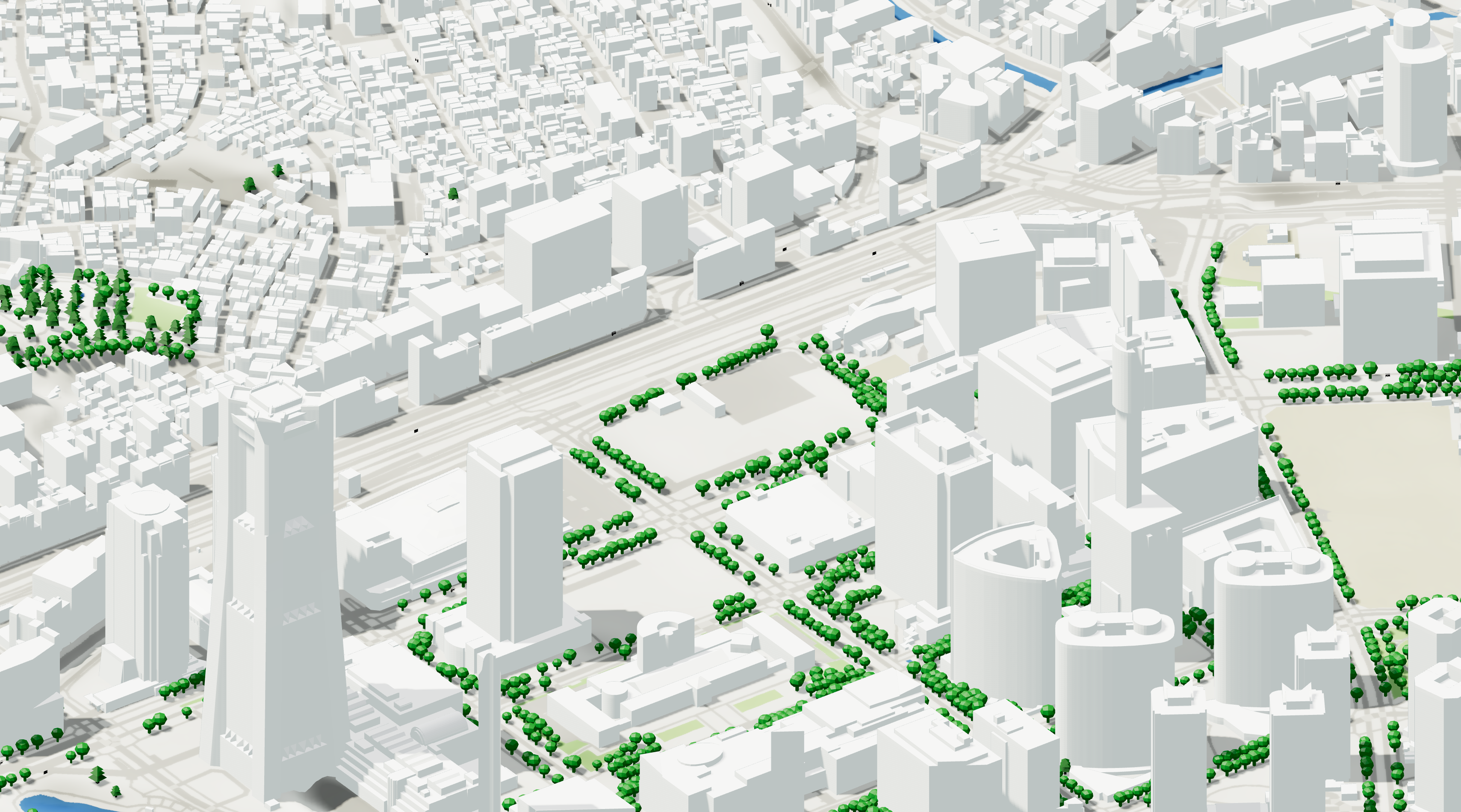
Vector models represent buildings as editable geometry.
Advantages:
Lightweight
BIM-friendly
Editable
Suitable for massing studies
Easy to import into Rhino and Revit
Disadvantages:
Less photorealistic
Quality varies by location
This is typically the preferred format for architects.
2. Photogrammetry and Mesh Models
Photogrammetric models are generated from aerial photography and image reconstruction.
Advantages:
Highly realistic
Excellent for visualization
Useful for competition renderings
Disadvantages:
Heavy files
Difficult to edit
Poor BIM interoperability
These models are excellent for visualization but often problematic during design development.
3. BIM-Oriented Context Models
Some platforms combine multiple datasets into structured exports designed specifically for architecture and engineering workflows.
These models typically include:
Terrain
Buildings
Roads
Water
Metadata
Georeferencing
The objective is reducing the time spent converting GIS information into usable design geometry.
How Architects Get 3D Terrain and Buildings Today
Most firms use one of four approaches.
OpenStreetMap
OpenStreetMap remains the foundation of many architectural context workflows.
It provides:
Building footprints
Roads
Land use information
Transportation networks
Coverage is global, but data quality varies significantly between cities and countries.
Major metropolitan areas often have excellent coverage, while smaller cities may have limited building attributes.
Government Open Data
Many countries publish:
Building footprints
Building heights
LiDAR
Terrain models
Cadastre information
Government datasets are often the most accurate source available.
The challenge is that every country publishes data differently, requiring substantial effort to locate, process, and standardize.
Commercial Mapping Platforms
Commercial providers aggregate multiple datasets and simplify access.
These platforms often combine:
OpenStreetMap
National cadastres
Elevation models
Building height datasets
Satellite-derived information
The tradeoff is cost versus time savings.
Aggregated AEC Platforms
A newer category of tools focuses specifically on architecture, engineering, and construction workflows.
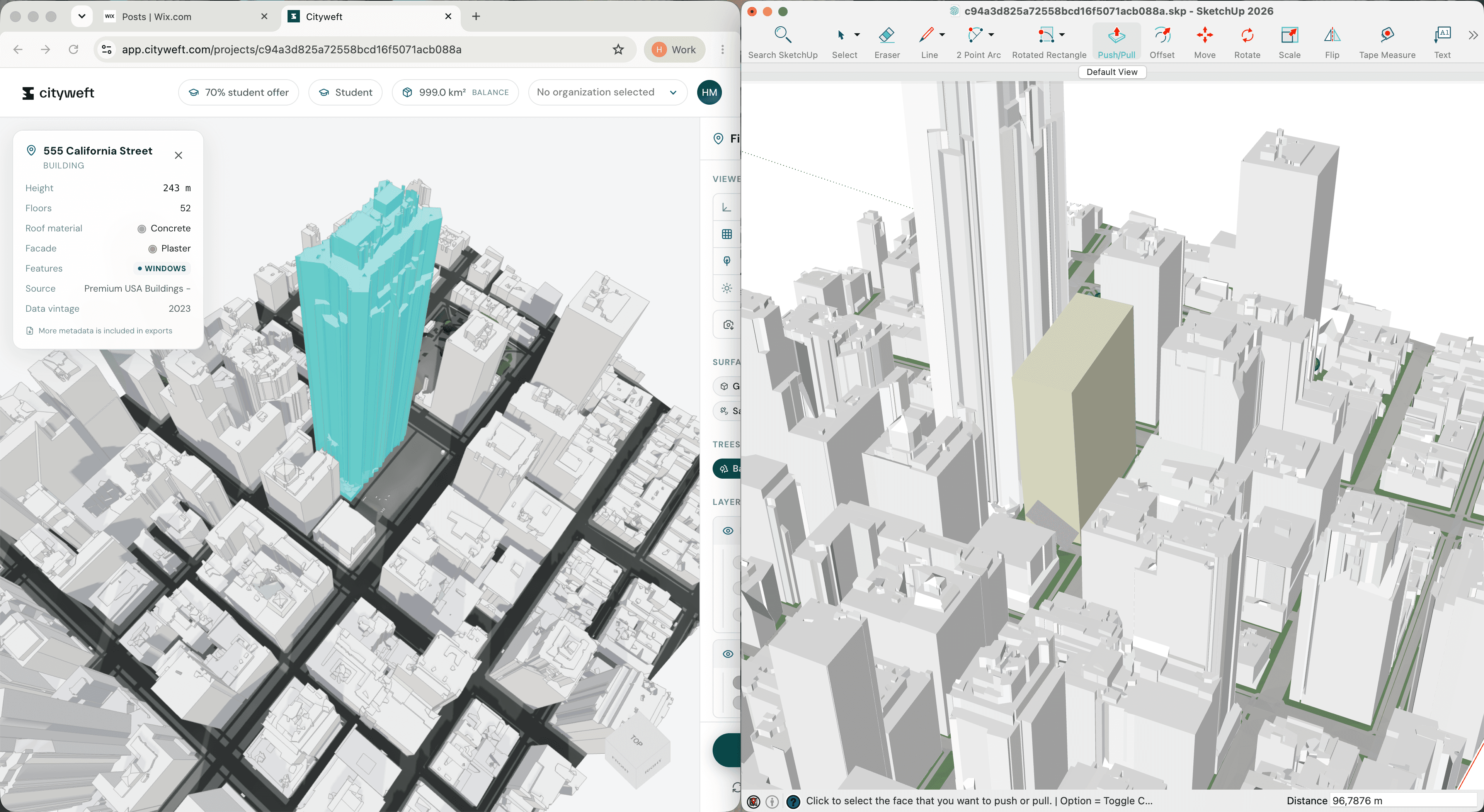
For example, Cityweft combines national datasets and global open data into a single architecture-focused workflow. The platform reports coverage in more than 200 countries, indexing over 3 billion buildings and supporting exports directly into CAD and BIM formats such as Rhino, SketchUp, Revit, IFC, DXF, and GLB. It also provides georeferenced exports and sub-meter topography in many premium coverage regions.
Which Datasets Provide Accurate Building Heights Worldwide?
Building heights remain one of the hardest datasets to obtain consistently.
Architects generally rely on five sources.
Government Building Models
Best quality.
Often include:
Roof forms
Building heights
Building use
Accurate footprints
Availability is highly regional.
OpenStreetMap Heights
Useful where available.
Limitations:
Inconsistent coverage
User-generated
Often incomplete
LiDAR-Derived Heights
Very accurate.
Often used for:
Urban design
Environmental studies
Detailed massing analysis
Challenges include processing complexity and limited geographic coverage.
Commercial Building Databases
Many providers combine multiple sources and infer heights where direct measurements are unavailable.
These datasets often offer the best global consistency.
Hybrid Approaches
Increasingly, platforms blend national datasets with global sources to maximize coverage.
Cityweft, for example, distinguishes between premium regions that use authoritative national data and global regions that use refined open datasets with quality grading. According to its coverage documentation, premium regions include countries such as Canada, France, Germany, Japan, Switzerland, the Netherlands, and the United Kingdom.
Photorealistic Tiles vs Vector Models
One of the most common questions architects ask is whether to use photogrammetry or vector models.
The answer depends on the task.
Use Photogrammetry When:
Producing visualizations
Creating competition renderings
Showing existing context to clients
Generating realistic urban scenes
Use Vector Models When:
Running massing studies
Performing environmental analysis
Importing into BIM
Editing geometry
Creating concept designs
Most architecture workflows eventually require editable geometry.
This is why vector-based context remains dominant in Rhino, Revit, SketchUp, and Grasshopper workflows.
Best Pipeline: OSM to Clean 3D Models
Many firms still build context manually.
A typical workflow looks like this:
Download OpenStreetMap data.
Obtain terrain data from a DEM source.
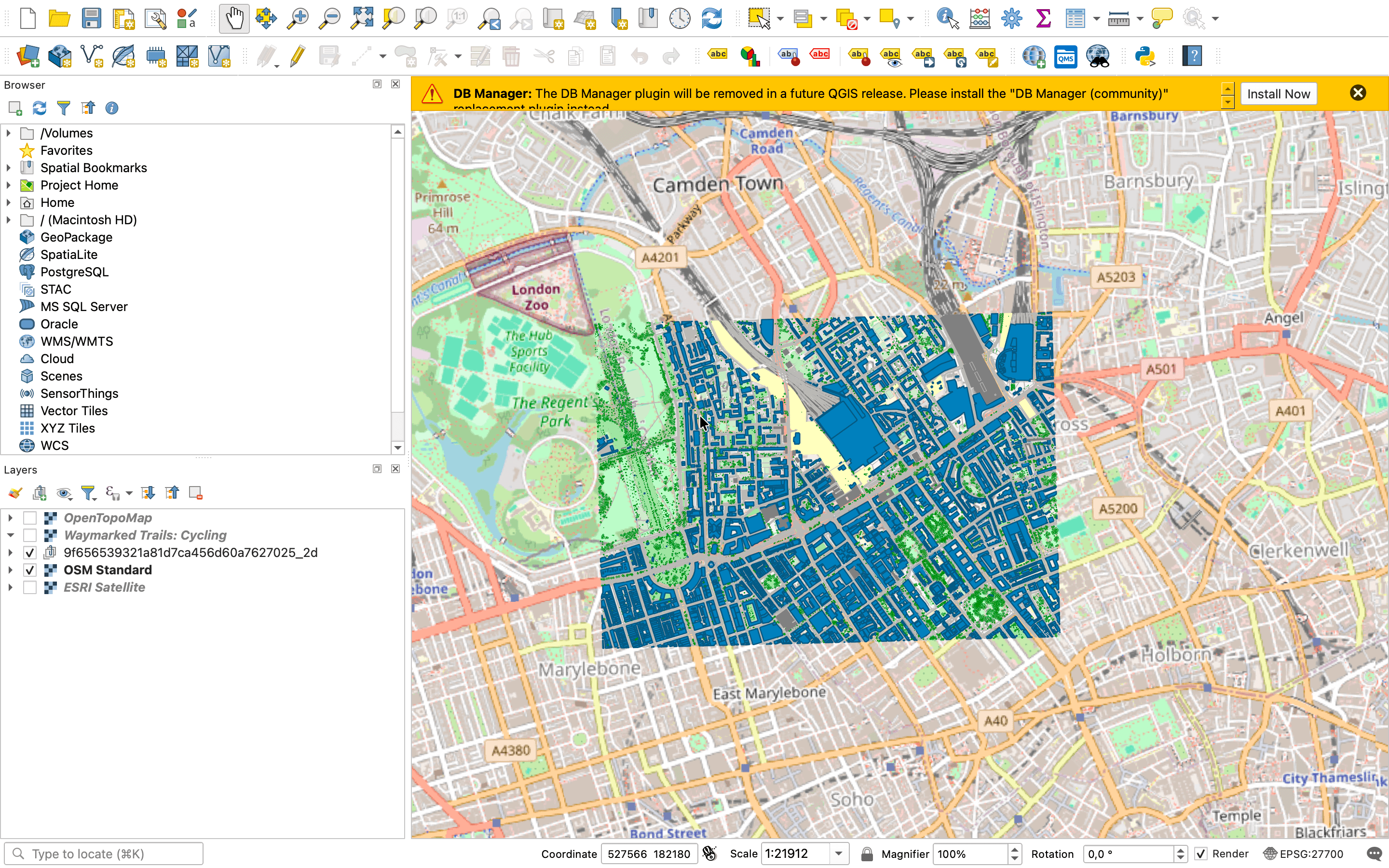
Import into QGIS.
Clean and clip geometry.
Generate building masses.
Export to Rhino or Revit.
Repair geometry.
Add materials and layers.
Architects on Rhino-focused workflows frequently describe variations of this GIS-to-Rhino pipeline using OpenStreetMap, GeoFabrik, QGIS, and Grasshopper.
The downside is that every project requires significant preparation before design work can begin.
Workflow: Exporting 3D Site Context into Revit
Revit introduces additional challenges because context geometry must remain lightweight and correctly georeferenced.
A practical workflow is:
Option 1: Import CAD Geometry
Useful for:
Early design
Competition projects
Simple massing
Advantages:
Fast
Lightweight
Disadvantages:
Limited metadata
Option 2: IFC Workflow
Useful for:
BIM coordination
Larger projects
Advantages:
Better interoperability
Preserves more information
Disadvantages:
Larger files
Option 3: Direct BIM-Ready Exports
Some platforms now provide exports designed specifically for Revit and BIM workflows.
These workflows reduce the amount of geometry cleanup required before design begins.
According to Cityweft's documentation, exported models are geolocated, maintain true north, and can be exported in BIM-oriented formats including IFC while preserving structured layers and metadata.
What Makes a Good Context Model for Competitions?
Competition teams need speed more than perfection.
An ideal competition model includes:
Terrain
Buildings
Roads
Water
Major landscape features
The model should be:
Editable
Lightweight
Georeferenced
Quick to generate
In practice, most winning competition entries simplify context rather than maximizing detail.
The objective is clarity, not exhaustive realism.
Global Coverage: Why It Matters
Many architecture firms now work internationally.
A workflow that works perfectly in London may fail completely in Nairobi, Lima, or Ho Chi Minh City.
When evaluating a 3D context platform, ask:
How many countries are supported?
Are building heights available?
Is topography included?
What export formats are supported?
Is the model georeferenced?
Global consistency is often more valuable than maximum accuracy in a handful of cities.
Cityweft reports coverage across more than 200 countries, with premium building and terrain datasets available in selected regions and global fallback datasets elsewhere. The platform states that it indexes more than 3 billion buildings and supports exports in over ten formats.
Best 3D Site Context Tools for Architects
Different tools serve different purposes.
Best for Free Open Data Workflows
QGIS
OpenStreetMap
Government open data portals
Best for Environmental Analysis
Rhino + Grasshopper
Environmental simulation tools
Best for BIM Workflows
Revit
IFC-based workflows
Best for Rapid Context Generation
Specialized architecture-focused context platforms
Aggregated city-model providers
Best for Students
OpenStreetMap
QGIS
Free city-model sources
Platforms offering educational or free tiers
Final Thoughts
The architecture industry is moving away from manually assembling site context from dozens of disconnected sources.
Instead, firms increasingly expect context models to be available instantly, georeferenced by default, and compatible with the design tools they already use.
Whether your workflow starts with OpenStreetMap, government LiDAR, Rhino, Revit, SketchUp, or a dedicated context platform, the goal remains the same:
Spend less time building context and more time designing.
As building datasets, terrain models, and city-scale information continue to improve worldwide, access to high-quality 3D site context is becoming one of the most important foundations of contemporary architectural practice.