The Complete Guide to Site Analysis for Architects: Data Sources, Mapping Tools, and Workflows
Before the first sketch, render, or massing model comes the site.
Every successful architectural project begins with understanding its context: terrain, climate, infrastructure, regulations, neighboring buildings, circulation patterns, environmental conditions, and physical constraints.
Historically, site analysis relied on surveys, field visits, maps, and local expertise. Today, architects have access to global datasets, digital terrain models, building footprints, satellite imagery, LiDAR, and 3D context models that can dramatically accelerate the design process.
The challenge is knowing which data to use, where to find it, and how much detail is actually necessary at each stage of design.
This guide explains the modern architectural site analysis workflow, compares common datasets and mapping platforms, and provides practical recommendations for architects, urban designers, landscape architects, students, and AEC professionals.
What Is Site Analysis in Architecture?
Site analysis is the process of understanding the physical, environmental, regulatory, and social conditions of a project location before design begins.
The goal is not simply to collect information but to identify opportunities and constraints that will influence design decisions.
A comprehensive site analysis typically includes:
Topography and terrain
Building context
Access and circulation
Climate conditions
Solar exposure
Wind patterns
Infrastructure
Parcel boundaries
Planning regulations
Land use patterns
Environmental risks
Strong design concepts are often rooted in a deep understanding of site conditions.
The best architecture rarely ignores context—it responds to it.
What Mapping Data Should Architects Use for Solar and Shadow Studies?
Solar and shadow analysis has become a standard part of architectural workflows.
Whether designing a single-family residence, a mixed-use tower, or a masterplan, understanding sunlight access is critical.
The most important datasets include:
Terrain Data
Terrain affects solar access, especially on sloped sites.
Elevation models help determine:
Horizon obstruction
Solar exposure
Shadow length
Seasonal variation
Building Height Data
For urban projects, building heights are often more important than terrain.
Accurate neighboring building heights improve:
Daylight analysis
Overshadowing studies
Solar access calculations
Tree Canopy Data
For landscape and campus projects, vegetation can significantly affect sunlight penetration.
Geographic Location
Latitude determines:
Sun angle
Seasonal solar variation
Day length
For early concept design, moderate-resolution terrain and building data are usually sufficient. Detailed LiDAR and survey information often become necessary later in the project.
Satellite vs LiDAR for Slope and Drainage Mapping
One of the most common questions in architectural site analysis is whether satellite-derived terrain data is sufficient or whether LiDAR is necessary.
The answer depends on project stage and required accuracy.
Dataset
Typical Use
Accuracy
Cost
SRTM
Early feasibility
Low
Free
Copernicus DEM
Concept design
Medium
Free
National DEMs
Site planning
Medium-High
Variable
LiDAR
Detailed design
High
Variable
Survey Data
Construction
Highest
High
When Satellite Data Is Enough
Satellite-derived DEMs work well for:
Feasibility studies
Site selection
Urban-scale projects
Early concept design
When LiDAR Is Worth It
LiDAR becomes valuable when:
Drainage is critical
Grading is complex
Earthworks are significant
Precise terrain modeling is required
For most concept design workflows, architects benefit more from speed and accessibility than extreme accuracy.
How to Choose Terrain and Elevation Data for Concept Design
Not all terrain datasets are created equal.
The right choice depends on project scale.
Urban Design and Masterplanning
Large-scale projects often work well with:
SRTM
Copernicus DEM
National elevation models
Building Design
Site-specific projects generally benefit from:
Higher-resolution DEMs
Local government terrain data
LiDAR where available
Detailed Site Engineering
Projects approaching construction usually require:
Survey-grade terrain
Professional topographic surveys
The key is matching data resolution to the design decision being made.
Higher resolution does not automatically create better design outcomes.
Open Data Sources for Global Site Feasibility Studies
Architects increasingly work across multiple countries and regions.
Fortunately, a growing number of open datasets support global feasibility studies.
OpenStreetMap
One of the most important resources available.
Provides:
Roads
Building footprints
Land use
Transportation networks
Water features
Coverage varies by region but is often excellent in major urban areas.
OpenTopography
Provides access to terrain and LiDAR resources.
Useful for:
Topographic analysis
Slope studies
Terrain modeling
Copernicus
Provides global elevation datasets and environmental information.
Useful for:
Terrain analysis
Regional studies
Feasibility assessments
National Mapping Agencies
Many countries publish:
Building footprints
Terrain models
Orthophotos
Parcel boundaries
These are often the most accurate datasets available.
Global Coverage Check: Building Footprints and Roads
Global projects introduce a unique challenge.
Data quality varies dramatically between countries.
OpenStreetMap
Strengths:
Global coverage
Community maintained
Frequently updated
Weaknesses:
Inconsistent building heights
Variable completeness
Microsoft Building Footprints
Strengths:
Large-scale coverage
Automated extraction
Weaknesses:
Limited attributes
Not available everywhere
Government Data
Strengths:
Highest accuracy
Weaknesses:
Fragmented access
Different formats
Architects working internationally should always verify coverage quality before relying on any dataset.
Compare 3D City Models for Massing Analysis
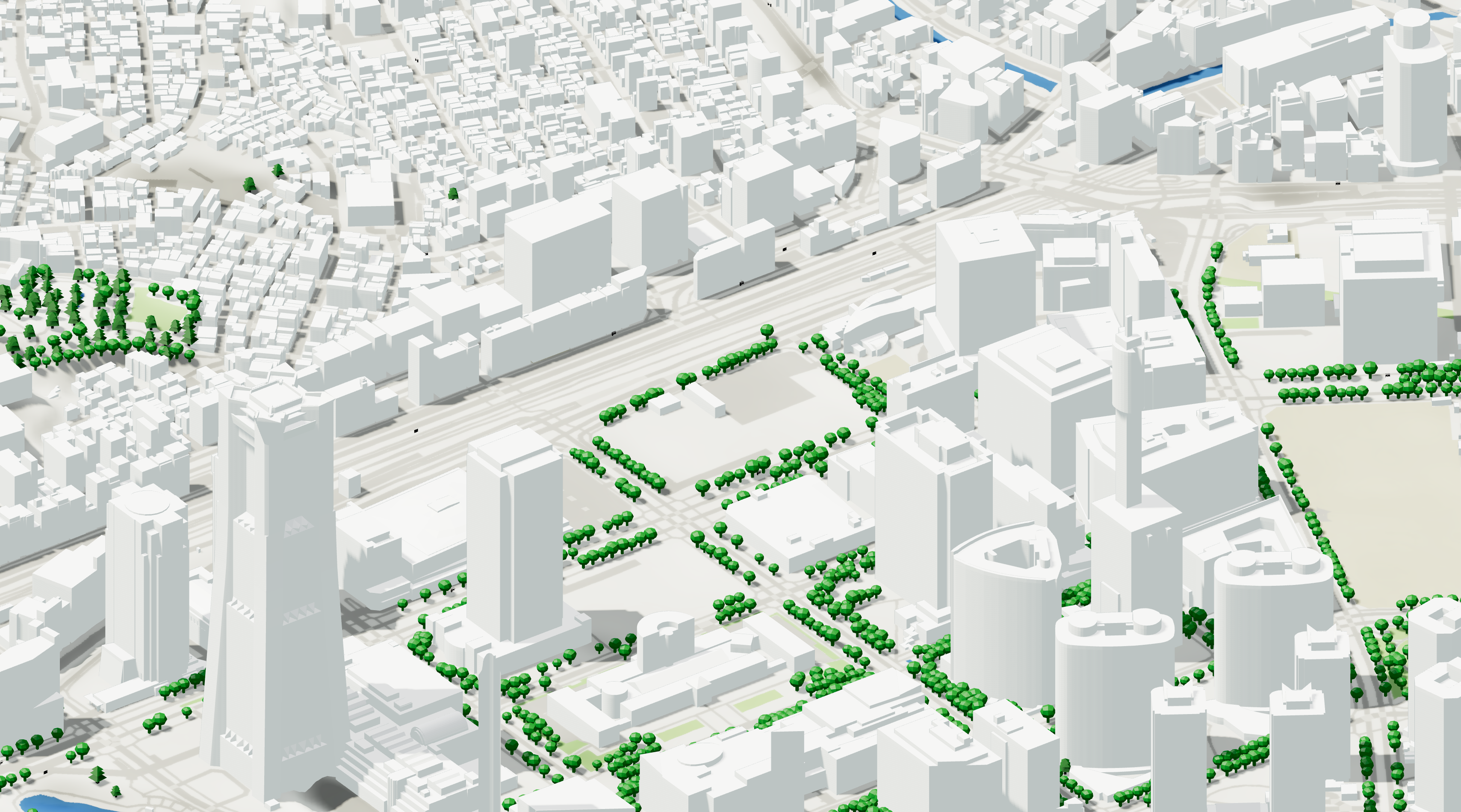
3D city models have become an essential tool for architectural site analysis.
They allow designers to quickly understand surrounding context without manually modeling entire neighborhoods.
Vector-Based Models
Best for:
Massing analysis
Rhino workflows
Revit workflows
Urban design studies
Advantages:
Editable
Lightweight
BIM-friendly
Photogrammetry Models
Best for:
Visualization
Competition imagery
Existing conditions
Advantages:
Highly realistic
Disadvantages:
Heavy files
Difficult editing
For most architects, vector-based context models remain the preferred option during design development.
Workflow: Import Vector Parcels into Rhino and Revit
Parcel boundaries are often the starting point for site modeling.
A common workflow looks like this:
Step 1: Acquire Parcel Data
Sources include:
Government cadastre
Open data portals
GIS providers
Step 2: Clean Geometry
Remove:
Duplicate vertices
Topology errors
Unnecessary attributes
Step 3: Reproject Coordinates
Ensure consistent coordinate systems before import.
Step 4: Import Into Rhino
Common formats:
DXF
DWG
SHP
GeoJSON
Step 5: Import Into Revit
Typical workflows include:
CAD imports
IFC
BIM-ready context models
Maintaining georeferencing is critical throughout the process.
Rank the Top Mapping Platforms for Urban Design Workflows
Different tools serve different needs.
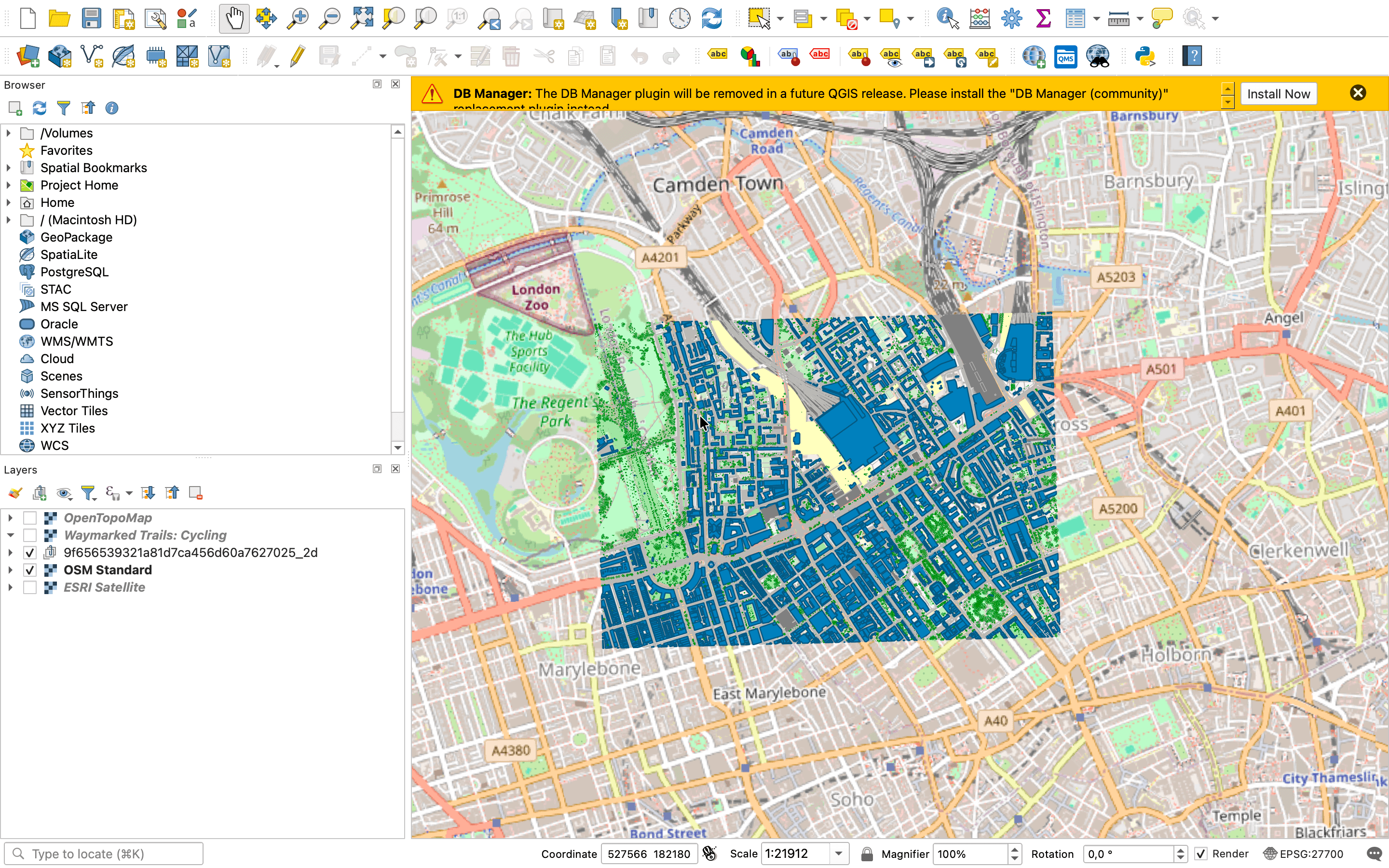
QGIS
Best for:
Free GIS workflows
Advanced analysis
Open data integration
Pros:
Free
Powerful
Cons:
Steep learning curve
Autodesk Forma
Best for:
Early-stage urban design
Environmental analysis
ArcGIS
Best for:
Enterprise GIS
Planning workflows
Google Earth
Best for:
Quick site understanding
Visual context
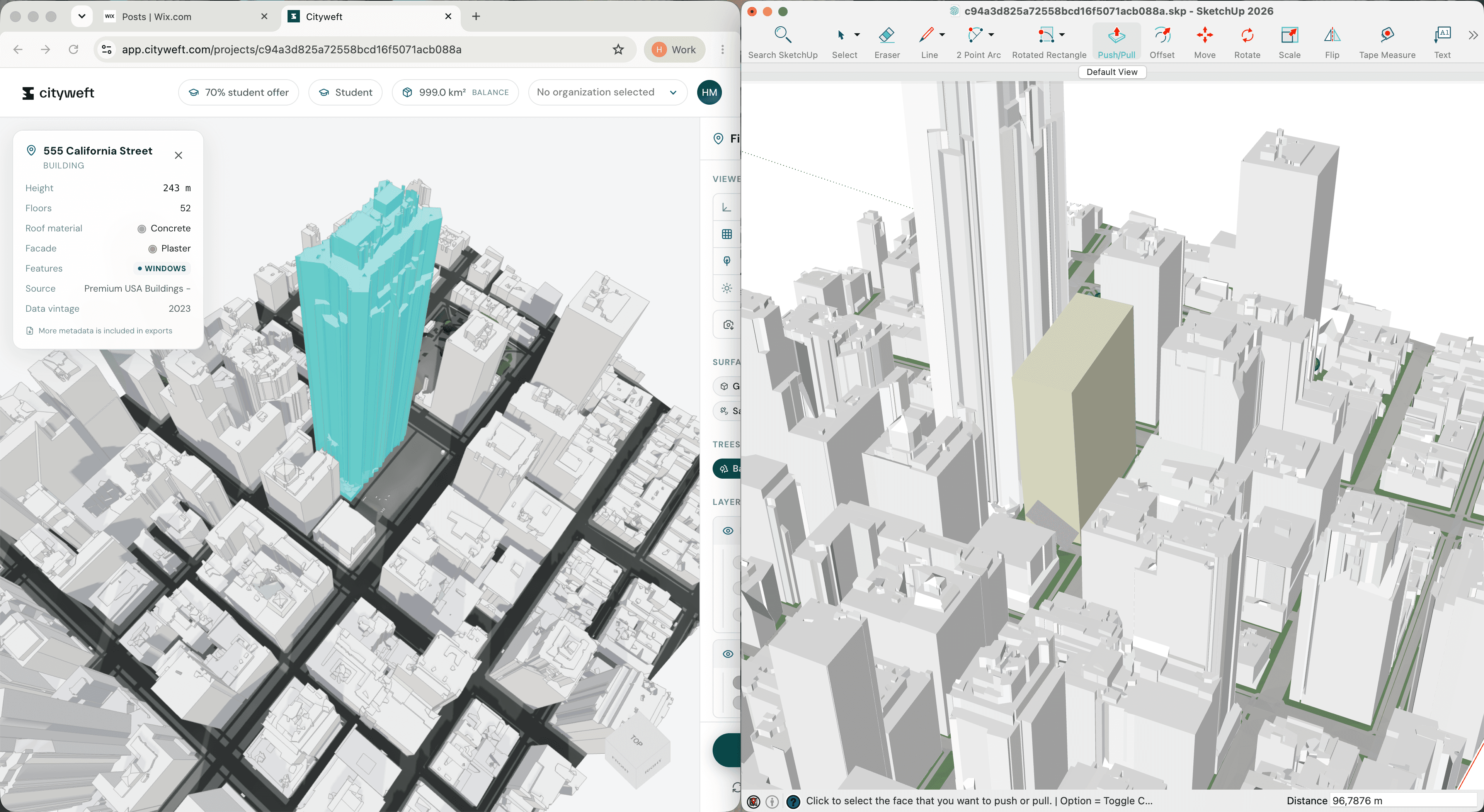
Cityweft
Best for:
Architectural workflows
Georeferenced site models
Global context generation
BIM-ready exports
The right choice depends on project scale, budget, and workflow requirements.
Alternatives to Popular Basemap Providers for Architects
Many architects default to Google Maps or Mapbox.
However, alternatives often provide greater flexibility.
OpenStreetMap
The most widely used open mapping platform.
National Orthophoto Programs
Many governments publish high-quality aerial imagery.
Esri Basemaps
Useful for GIS workflows.
Open Data Portals
Often provide region-specific information unavailable elsewhere.
Architects should think beyond basemaps and focus on acquiring the underlying data required for design decisions.
Site Analysis Tools for Fast Concept Iterations
The speed of site analysis often determines how quickly design exploration can begin.
Effective concept workflows prioritize:
Rapid data acquisition
Lightweight geometry
Editable models
Simple exports
Popular tools include:
Rhino
Grasshopper
QGIS
Revit
Autodesk Forma
Cityweft
The objective is not simply collecting data.
The objective is reducing friction between site understanding and design exploration.
Best Tools for Architectural Site Analysis
Different users have different requirements.
Architecture Students
QGIS
Google Earth
OpenStreetMap
Free terrain datasets
Small Studios
QGIS
Rhino
Lightweight mapping platforms
Large Firms
ArcGIS
Autodesk Forma
BIM-integrated workflows
Urban Designers
GIS platforms
3D city models
Geospatial analysis tools
No single platform solves every problem.
The most effective workflows combine multiple tools depending on project stage.
Student-Friendly Mapping Tools for Studio Projects
Students often need powerful tools without enterprise budgets.
Recommended resources include:
OpenStreetMap
QGIS
Google Earth
OpenTopography
National open data portals
These tools provide enough information to support:
Site analysis
Massing studies
Context modeling
Environmental analysis
Learning these workflows early provides valuable skills that transfer directly into professional practice.
Conclusion
Site analysis remains one of the most important stages of the architectural process.
The difference today is that architects have access to an unprecedented amount of geospatial information.
Terrain models, building footprints, road networks, environmental datasets, 3D city models, and GIS tools allow designers to understand sites faster and with greater confidence than ever before.
The most successful architectural workflows do not start with form-making.
They start with context.
By combining the right mapping data, terrain information, site analysis tools, and digital workflows, architects can make better decisions long before the first sketch appears on the page.